You've got a sketch on a notebook page, three reference photos saved to your phone, and a clear picture in your head of the bag that doesn't exist yet. What you don't have is a pattern maker, a factory contact, or any idea what a tech pack should contain. That gap between a good idea and a sewn sample is where most custom handbag projects stall, usually for months.
Table of Contents
- From Sketch to Factory in One Workflow
- Building the Design Brief From Prompts and Brand DNA
- Generating Multi-View Visuals and Refining the Silhouette
- Turning the Concept Into a Component-Controlled Tech Pack
- Virtual Prototyping and the Pre-Bulk Quality Gate
- Designing for Repair Resale and Long-Term Ownership
- Your First Bag From Prompt to RFQ
From Sketch to Factory in One Workflow
You're staring at that sketch wondering who to email first. A freelancer to clean up the drawing. A pattern maker to make it real. A factory that won't quote you anything until it sees dimensions, materials, and hardware you haven't specified yet. Each handoff loses context, and each person answers a different version of your question.
The fix isn't finding better freelancers. It's running the whole sequence as one continuous workflow where every stage feeds the next. When you create your own handbags this way, the concept you approve is the same file the factory prices, samples, and sews.
The Sequence That Actually Works
- Concepting: Turn the sketch, prompt, and references into a defined silhouette with a use case and capacity target.
- Multi-view visuals: Generate front, back, three-quarter, and detail views so proportions and hardware placement can be judged before anything gets cut.
- Tech pack generation: Convert the approved views into component templates, measurements, materials, and construction order.
- Virtual prototyping: Check scale, colorways, and wearability on the body, then run structured sample checks before bulk approval.
- Factory-ready handoff: Send one unified spec the supplier can comment on, instead of scattered email versions.
Split those stages across separate tools and agencies and you'll spend your time reformatting files and reconciling contradictions. Keep them connected and a change to the gusset width in the visual stage flows straight into the pattern and the costing. That's the single biggest lever for compressing timelines, bigger than any negotiation over sample fees.
Why This Matters Beyond Bags
The same discipline applies across accessories. Makers in adjacent categories learn it early, which is why a guide for aspiring jewelry makers spends so much time on foundational skills and process before finished pieces. Craft categories differ, but the principle doesn't. Process first, decoration second.
A sketch tells a factory what you like. A workflow tells it what to build, in what order, from which parts.
By the end of this pipeline you should hold two things a render alone never gives you. First, a component-controlled spec sheet naming every panel, material, and stitch. Second, a validated prototype that has passed defined checks and is ready for sampling. Everything that follows builds those two outputs, stage by stage.
Building the Design Brief From Prompts and Brand DNA
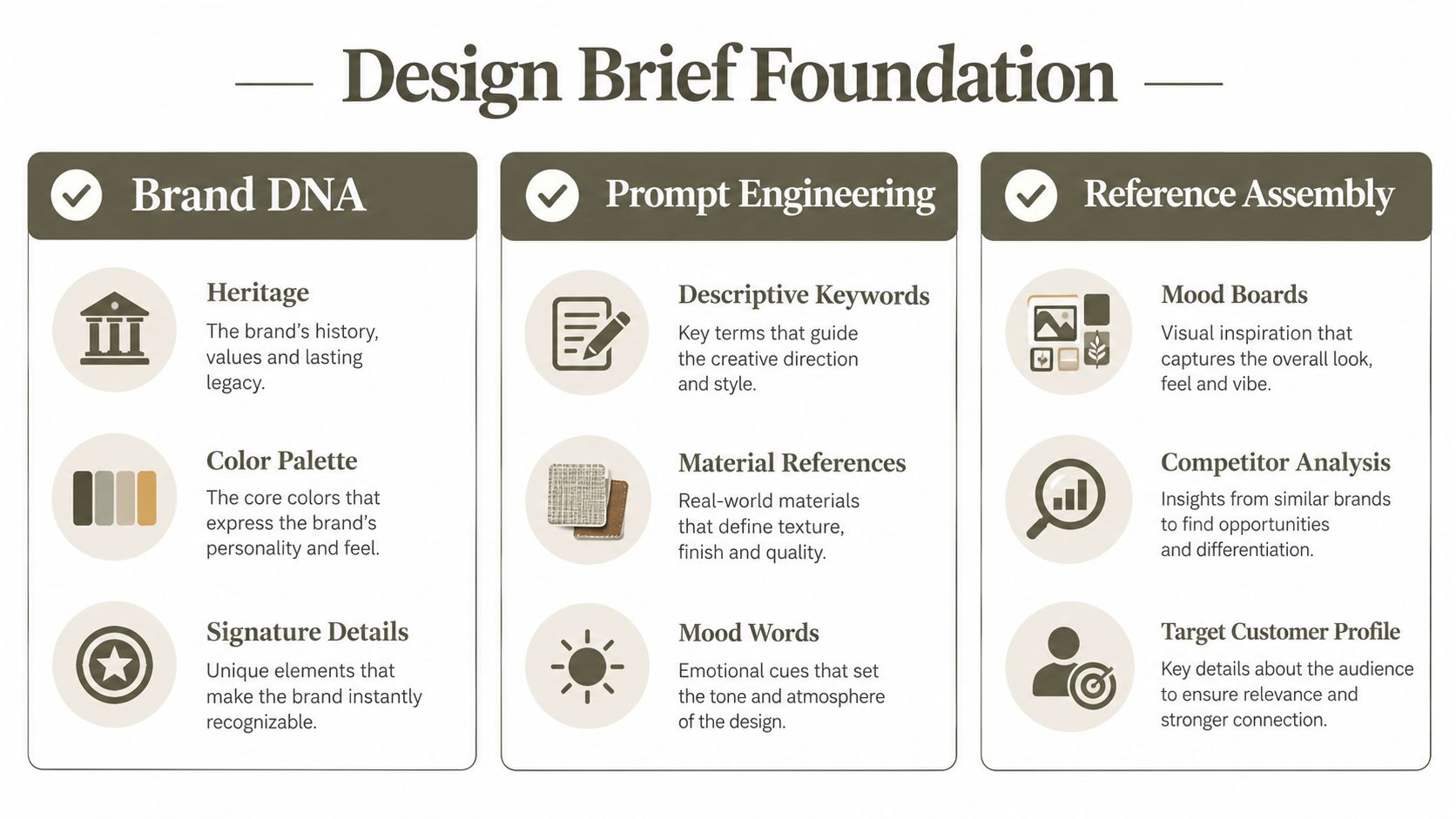
Rendering before you have a brief is the fastest way to generate beautiful bags you can't use. The brief is the foundation every later decision references, so build it from three inputs and keep it to one page.
Start with what the bag does, not how it looks. Shoppers have always weighted function heavily, since 46% chose their current handbag because it was functional and well organized, compared with 18% who picked it mainly for being fashionable or trendy, according to a historical overview of the U.S. handbag industry. Your prompt should reflect that priority.
What Goes Into the Prompt
- Use case and capacity: Daily commute with a laptop sleeve, or an evening bag sized for phone and cards. Name what must fit inside.
- Audience: Who carries it, where, and what they're replacing.
- Silhouette intent: Structured tote, soft hobo, framed clutch. State the architecture, not just the mood.
- Hardware cues: Closure type, strap attachment, metal finish family.
Leave out unsupported style words. "Elegant" means nothing to a generation model or a factory. "Elegant, meaning minimal visible hardware, smooth leather, tonal stitching" means something. Every adjective needs a visual or material reference behind it.
Locking In Brand DNA
Brand DNA is your stored set of guardrails, including moodboards, color palettes, material language, and signature details you repeat across every design. Set it up once, and generated outputs stay consistent across rounds, so bag two in a collection clearly belongs to the same label as bag one. A detailed walkthrough of building consistent collections from stored brand identity covers how to structure those inputs.
Reference sketches sit between the prompt and the DNA profile. Upload your drawing even if it's rough, because it carries proportion decisions your words won't. Then annotate what the sketch gets right and what the model should ignore. That annotation step gets skipped constantly, and it's why first outputs drift.
The audience for this work is broader than most founders assume. Hands-on making is mainstream, and younger buyers lean toward handmade and personalized product, which supports starter tools like editable silhouettes and guided construction. A one-page brief is what separates an output you can build on from one you discard and regenerate.
Generating Multi-View Visuals and Refining the Silhouette
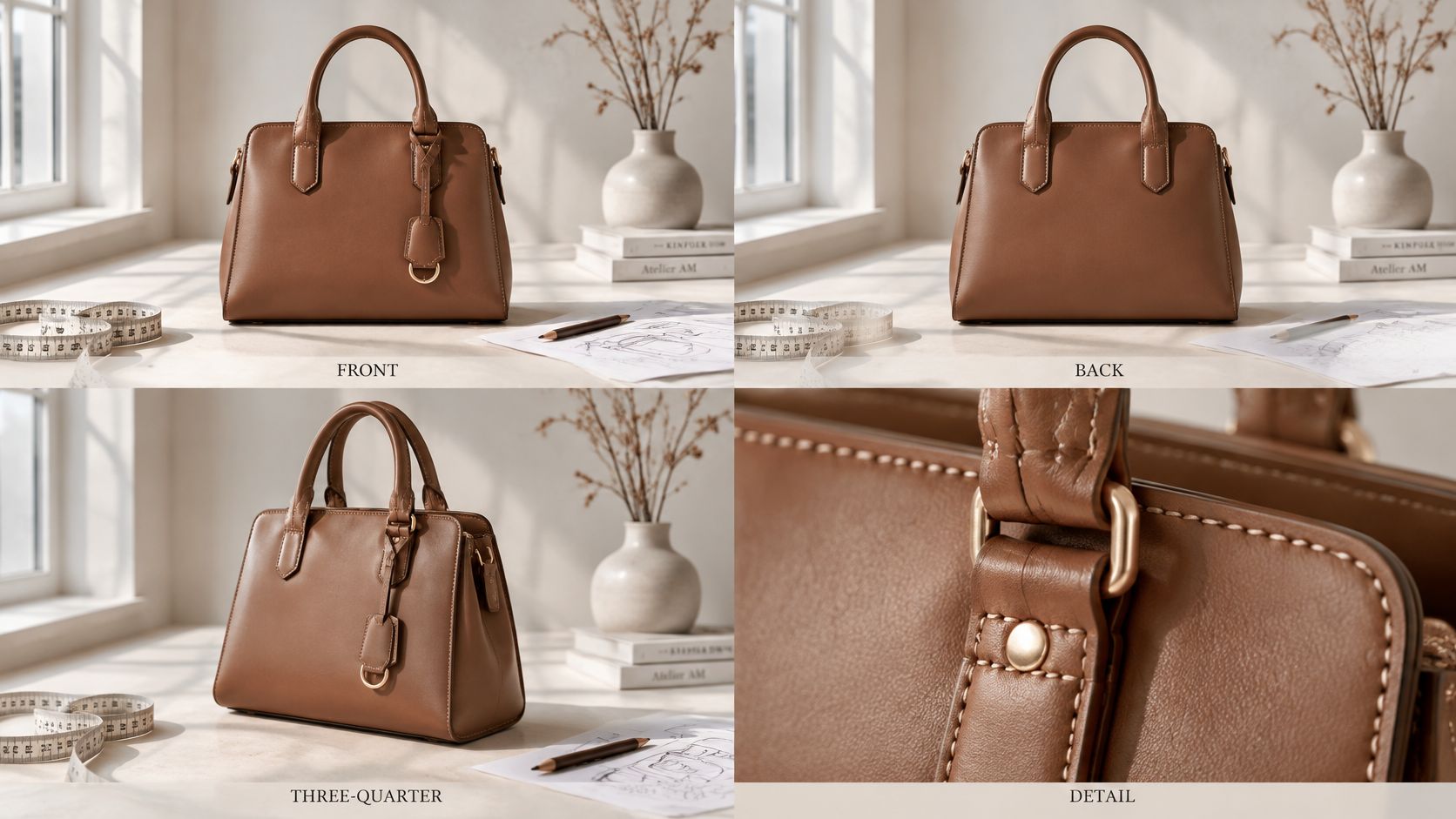
A single hero image can't be sampled. Factories and customers both need multi-view visuals, meaning front, back, three-quarter, and close detail shots that agree with each other. Generate from your brief, then check every view against the others before you refine anything.
The first pass is about silhouette, not polish. If the proportions are wrong in the front view, no material swap will rescue the design. Use the AI Editor to iterate on shape first, then materials, then colorways, then details, in that order. Changing everything at once leaves you unable to tell which edit fixed the problem.
Reading a Render Like a Product Developer
Good outputs share specific traits. Handles attach at points the body panel can support. The gusset width matches the base so the bag sits flat. Zippers run in straight, sewable lines. Hardware appears at sizes that exist in standard catalogs.
Bad outputs are just as recognizable once you've shipped samples:
- Floating attachments: Strap tabs that connect to nothing, or to a flap that would tear under load.
- Impossible gussets: Side panels too wide to cut economically from a single hide, forcing seams the render doesn't show.
- Invented hardware: Closures and rings with no real-world equivalent, which means custom tooling you didn't budget for.
- View drift: A pocket that appears in the front view and vanishes in the three-quarter.
Catch these now. A floating handle anchor costs a prompt edit at this stage. At sample stage it costs a recut and another courier fee.
Starting From Blanks Instead of Zero
If designing from a blank page isn't your strength, start from the library of editable blanks and sketches and modify a proven silhouette. A blank already has plausible proportions and construction logic, so your edits stay in manufacturable territory. You can still change materials, hardware, and detailing until it reads as yours.
Practical rule: Override the model whenever a manual call serves the construction better. AI suggestions are drafts, and the person who has carried a loaded prototype knows things a render can't show.
Approve a silhouette only when all views agree and every attachment point has a believable load path. That's your green light for specification work.
Turning the Concept Into a Component-Controlled Tech Pack
A sample can lose weeks to one missing dimension. For example, if the tech pack does not specify where a pocket sits relative to the panel edge, the factory has to ask or make a guess. A production spec translates the approved design into separate pattern pieces for the front, back, gusset, base, flap, handles, pockets, lining, and reinforcement, with instructions for cutting and assembly. The component breakdown for cut-and-sew bag construction shows why each piece needs its own specifications.
Tech Pack Fields a Factory Reads
| Pattern Piece | Required Spec Fields | Common Omission |
|---|---|---|
| Front and back | Grain direction, seam allowance, material thickness | No grain line, so panels twist |
| Gusset and base | Fold lines, stitch paths, reinforcement spec | Base support left unspecified |
| Handles and straps | Hardware positions, anchor reinforcement, stitch path | Attachment strength assumed, not defined |
| Pockets and lining | Dimensions, placement from edges, fold lines | Pocket depth left to factory guesswork |
| Flap and closures | Hardware positions, fold lines, edge finish | Zipper or clasp alignment unmarked |
Put construction order in the spec. Specify when to join the gusset to the body, install structural supports, and reinforce handles, strap tabs, corners, and base attachments. Those details affect access for stitching and assembly. If the sequence is unclear, the factory may choose one that suits its line but changes the finished bag.
Before cutting premium leather, request a low-cost test cut to check nesting, material yield, and assembly order. Mark which hide areas are suitable for visible panels, and record material-specific operations, such as skiving edges before folding. Specify the needle and thread for the leather weight instead of leaving machine setup to guesswork.
The tech pack workflow for bags, jewellery, and footwear covers how component details carry a concept into production. Suppliers making custom bags also rely on complete specifications to keep repeat orders consistent.
Genpire reports cycle compression of 9 to 13 weeks and roughly 65% compared with traditional processes for production-ready outputs that include construction and component details, according to its concept-to-factory workflow documentation. A tech pack with only a reference image and no measurements gives the factory little basis for consistent production.
Virtual Prototyping and the Pre-Bulk Quality Gate
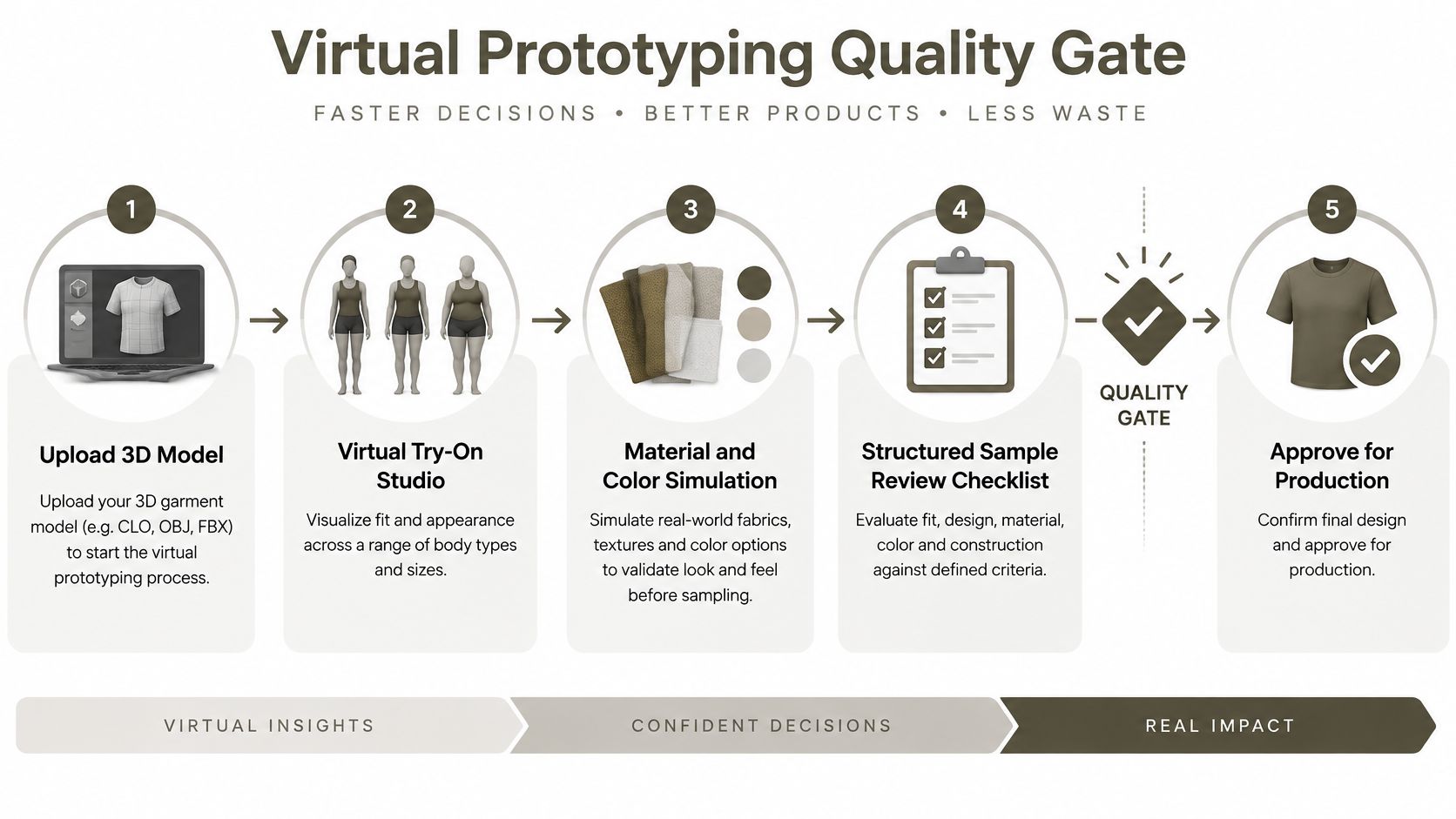
Before premium material gets cut, your design has to survive two filters. The first is virtual. The Virtual Try-On Studio places the bag on different body types and outfits so you can judge scale, strap drop, and proportion against a real person instead of a floating product shot. A tote that looks balanced on a white background can overwhelm a smaller frame, and you want to learn that on screen. This kind of virtual validation before physical sampling catches proportion errors while they're still free to fix.
The Checks That Decide Go or No-Go
The second filter is the pre-bulk quality gate, a structured review of the first physical prototype. Record dimensional tolerances and every material substitution, then test performance rather than admiring appearance:
- Strap pull resistance: Load the anchors the way a commuter with a full bag will.
- Seam integrity and hardware security: Tug, twist, and cycle every connection point.
- Zipper operation: Run 500 or more cycles, the durability screen recommended in leather handbag construction and quality instructions.
- Color-transfer risk: Crocking tests reveal whether dye will migrate onto clothing.
- Shape retention: Check symmetry and deformation under load, not just on a table.
Stress points get at least a second line of stitching or equivalent reinforcement. Handle tabs, strap anchors, corners, and base attachments carry concentrated loads, and single stitching at those points is the most common cause of early failure I've seen come back from customers. For faux leather, specify clips instead of pins, a Teflon or ultra-glide presser foot to reduce drag, and double stitching at stress-bearing seams.
Holding the Line During Production
Approval isn't the end of control. Hourly checks on edge-skive thickness, stitch density, alignment, and hardware placement stop small drifts from becoming a full run of seconds. Factories respect a spec with checkpoints because it tells them exactly where your tolerance ends.
Sampling economics should discipline how many prototypes you order. About 60% of physical fashion samples never reach production, per the supply-chain reporting cited in the same instructions linked above. So every prototype must answer a named question about fit, capacity, construction, material behavior, or manufacturability. If you can't state the question, don't cut the sample.
Designing for Repair Resale and Long-Term Ownership
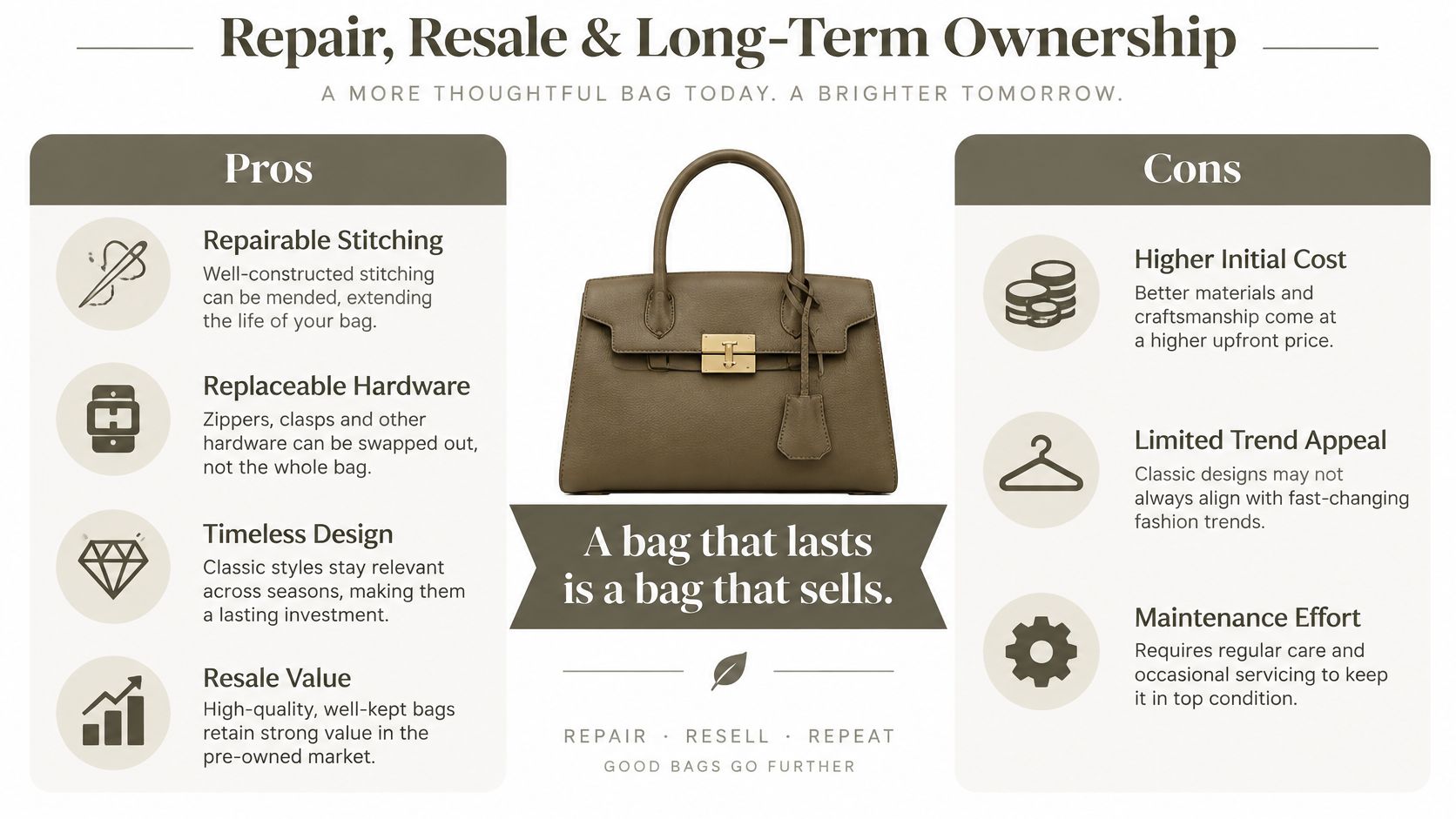
Most customization advice stops at color, monogram, and silhouette. That framing produces bags that are personal on delivery day and disposable within a few years. Here's the contrarian position worth taking seriously: the most valuable custom handbag is engineered for disassembly, component replacement, and documented provenance, not maximum visual complexity.
The industry context supports the gap. Kearney's 2025 Circular Fashion Index covered 246 brands across 18 countries and found only 6% offered extensive repair options, while 5% had substantial resale programs, figures summarized in a circular fashion index discussion of repair and resale adoption. Repair infrastructure is rare, which means a bag designed to be repaired stands out immediately.
Repair also changes buying behavior more than resale does. A UK survey found an 82.2% displacement rate among 721 repair users, compared with 64.6% for peer-to-peer resale among 7,061 consumers, cited in the same discussion. A repaired bag prevents a new purchase more reliably than a resold one, so designing for the repair bench has the stronger payoff.
Construction Choices That Support Longevity
- Replaceable straps on standardized hardware: When a strap wears out, the owner swaps it instead of retiring the bag.
- Accessible stitching: Seams a repair shop can open and redo without destroying adjacent panels.
- Washable or refinishable materials: Surfaces that can be cleaned or restored rather than replaced.
- Modular pockets: Interior components that detach for repair or reconfiguration.
- A materials and component record: Documentation kept with the bag so a future repairer or buyer knows exactly what it's made from.
That record is the piece almost nobody creates. Your tech pack already contains the component list, so extract a customer-facing version and ship it with the product. It supports servicing, substantiates resale listings, and signals that the bag was built to be kept.
A custom bag that can't be repaired is a disposable bag with a premium price tag.
Yes, this approach can cost more upfront and won't chase every trend. That's the trade. You're selling longevity and retained value to buyers who are tired of replacing bags that were never designed to last.
Your First Bag From Prompt to RFQ
Everything converges in the design-to-RFQ workflow, the point where your creative intent becomes unambiguous production data a factory can price. Demand for this kind of work is real, since more than 60% of Gen Z and millennial shoppers prefer brands offering customization, according to a 2025 survey cited in a North America handbags market analysis. Demand doesn't remove manufacturing constraints, though. Your RFQ package has to respect them.
The RFQ Checklist
- Define dimensions and tolerances for every panel, not just overall height and width.
- Identify every component, including lining, reinforcement, and hardware, with no unnamed parts.
- Specify materials by performance, covering thickness, durability, and finish behavior, not appearance alone.
- Document construction order so assembly follows your sequence.
- Estimate minimum order quantities and state them in the request.
- Validate fit and load on the approved prototype before authorizing bulk.
The Trade-Off Most Creators Miss
More options do not make a stronger offer. Excessive combinations increase sampling complexity, inventory risk, quality variation, and customer confusion. Every additional colorway, hardware finish, and pocket layout multiplies the samples you must validate and the stock you must hold. When you create your own handbags commercially, the winning model is constrained configurability, meaning a curated set of choices built on validated components rather than unlimited freedom.
Three pitfalls derail first projects repeatedly. Skipping the brief and rendering on vibes. Approving a sample on appearance without load and zipper testing. Sending a factory images instead of a component spec and then blaming the factory for interpreting them. All three are process failures, and all three are avoidable.
One more practical habit for makers building resale value into their work. Before listing a finished piece or a collection of samples, it helps to get a free quote for your valuables so you understand secondary-market pricing for quality goods in your area. That reference point keeps your resale expectations grounded.
Your starting move is small. Write the one-page brief today, generate multi-view visuals against it, and don't touch materials until the views agree. Export the finished spec in SVG, PDF, and Excel, share it through supplier view-only seats so the factory comments on one live file, and the handoff becomes the easiest step instead of the hardest.
Start your first bag the way this workflow runs, with a prompt and a brief, and carry it through multi-view concepts, a component-level tech pack, and virtual validation in one connected workspace. Genpire turns sketches and references into factory-ready specifications with material lists, hardware details, and assembly instructions your supplier can build from directly. Bring your sketch, build your brief, and send your first RFQ with a spec a factory can sew.