A team spends six weeks refining a handheld device housing. The first physical sample arrives, and the power button sits exactly where the user's thumb rests. The problem wasn't the design effort. It was using a prototype that couldn't answer the question the team needed answered before committing to more work.
Every prototype is a decision tool. Paper models test whether people understand a layout. Foam models reveal how a product feels in the hand. A 3D print checks fit, while a functional build tests performance. Each one has limits, too: a polished render can't prove grip safety, and a working electronics mockup may tell you little about the final housing.
The right sequence keeps teams from asking one sample to prove everything. It also gives a factory a clearer handoff, from dimensions and materials to assembly notes and inspection points. That principle applies whether you're developing a control panel, a garment, or designing footwear around customer needs.
Table of Contents
- 1. Paper Prototype (Low-Fidelity Wireframe Mockup)
- 2. Clay or Foam Model (Form Study Prototype)
- 3. 3D Printed Prototype (Additive Manufacturing Prototype)
- 4. Digital Prototype (CAD and Virtual 3D Model)
- 5. Toile or Fit Sample (Apparel and Footwear Sample Prototype)
- 6. Functional or Works-Like Prototype (Engineering Prototype)
- 7. Development Kit or MVP Prototype (Minimum Viable Product Hardware)
- How the seven prototype types compare by use case, main strength, and main limitation
- Matching Each Prototype to the Decision You Need to Make
1. Paper Prototype (Low-Fidelity Wireframe Mockup)
A paper prototype is useful when the open question is whether a person can understand the layout or interaction. Draw the interface or product controls on paper, then ask someone to complete a task using the mockup. For an appliance, that might mean finding the temperature setting. For packaging, it could mean checking whether a shopper can locate product instructions and key details.
This is an early-stage tool, before a digital interface, printed package, or physical product is locked in. It's deliberately rough. You're testing the arrangement of information and the logic of the interaction, not whether the final colors, materials, or finish look right.
Keep the first version to one screen or component. If a user hesitates, note where and what they expected to happen next. Don't explain the design while they test it. Their confusion is evidence about the layout, not a cue to coach them through it.
What the factory needs next
Paper prototypes don't go to production. Their handoff is a clearer concept for the next design stage: a multi-view sketch, a screen flow, or a packaging layout that records the chosen arrangement. If you're testing an interface without CAD, this guide to prototyping a product without CAD can help you start with simple representations rather than waiting for a finished model.
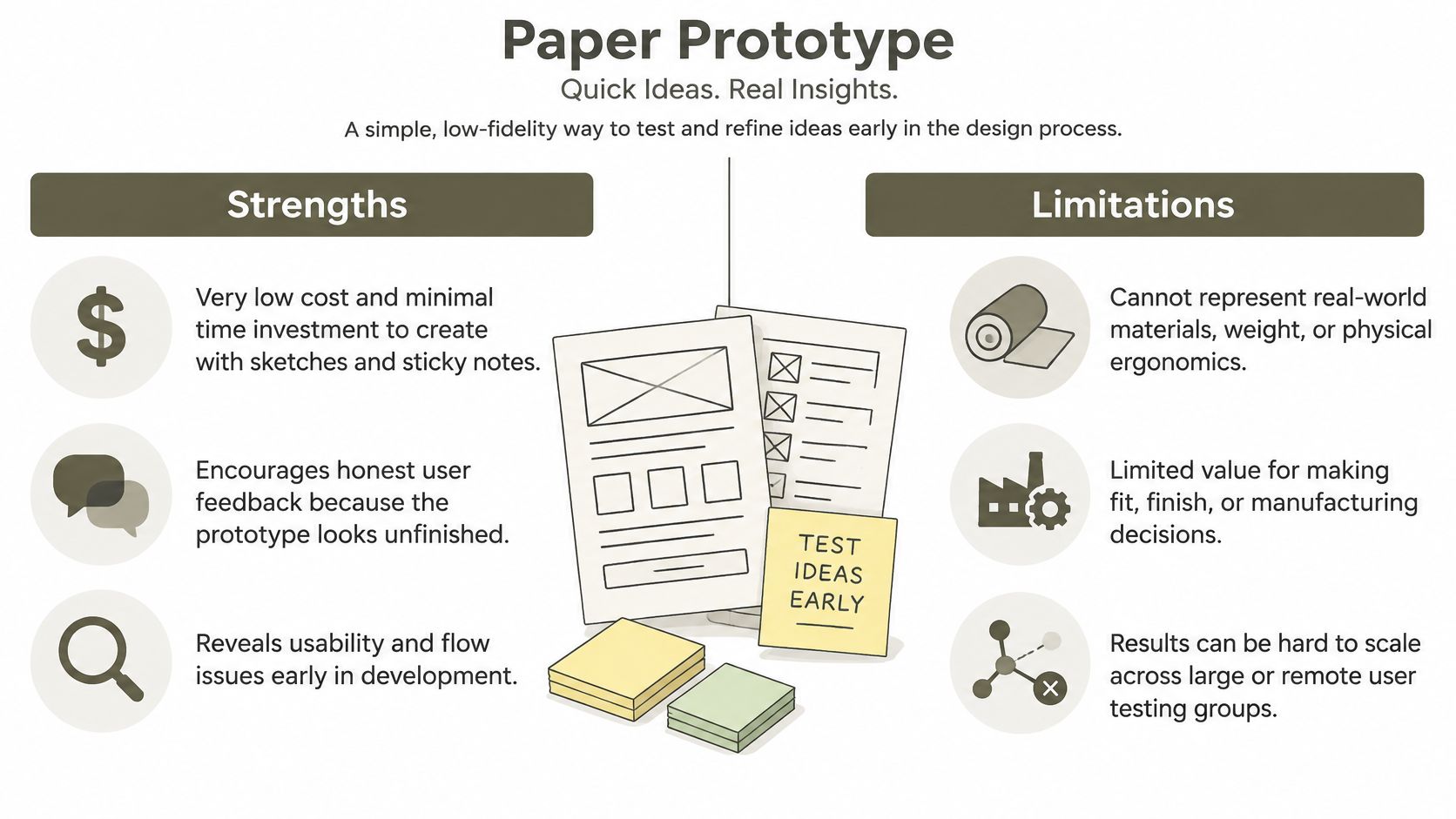
A paper prototype fails when the test depends on touch, weight, durability, or realistic movement. It can tell you that a button is hard to find, but not whether it's comfortable to press. Move on when users can complete the intended flow and the remaining questions concern appearance, physical fit, or performance.
2. Clay or Foam Model (Form Study Prototype)
A foam or clay model answers a physical question that a drawing can't settle: Does the shape look and feel right at the intended scale? Designers use these models to judge silhouette, proportion, grip, reach, and surface transitions before engineering geometry is finalized. They're common in products where the body meets the object, including handheld tools, appliances, footwear, and furniture.
Suppose a team is designing a handheld power tool. A full-size foam model can show whether the handle feels too thick and whether the user's fingers can reach the trigger. It can't prove that the tool's internal mechanism fits, or that the handle will withstand repeated use. Treat it as a form study, not a functional sample.
Preserve the approved shape
Build the model at a size people can handle comfortably. Test it with users, not only with the design team, and ask them to grip, turn, lift, or reach as the intended use requires. Photograph each revision from consistent angles, and scan or measure an approved form if it needs to become the basis for CAD.
Practical rule: Approve a form model for its shape and ergonomics only. Keep engineering feasibility as a separate decision.
The factory handoff is an approved silhouette, key dimensions, and notes on surfaces or transitions that must be preserved. A clay or foam model fails when a team treats it as proof of internal fit, material behavior, or manufacturability. Move to CAD once the shape is settled, then check whether components and processes can produce it.
3. 3D Printed Prototype (Additive Manufacturing Prototype)
A 3D print answers whether a digital shape can become a physical part with the fit and geometry you need. It's especially useful for housings, brackets, small accessories, footwear components, and other parts where a team needs to handle a physical version before production tooling. The right process depends on the question: a rough FDM print may reveal basic size, while a smoother resin print can help assess small details and appearance.
Choose the material and process according to the test, not the fastest available option. A printed housing may fit around a circuit board, but its stiffness or heat resistance may differ from the eventual production plastic. Record those differences so nobody treats a fit check as a durability test.
The practical value of rapid physical iteration is also visible in tooling decisions. Stratasys' Unilever case study describes internally 3D-printed injection molds costing about €800–€1,000, compared with conventional molds at approximately €4,000–€5,000. Unilever used the lower-cost tooling for prototypes, reserving expensive production tooling for designs that had been validated.
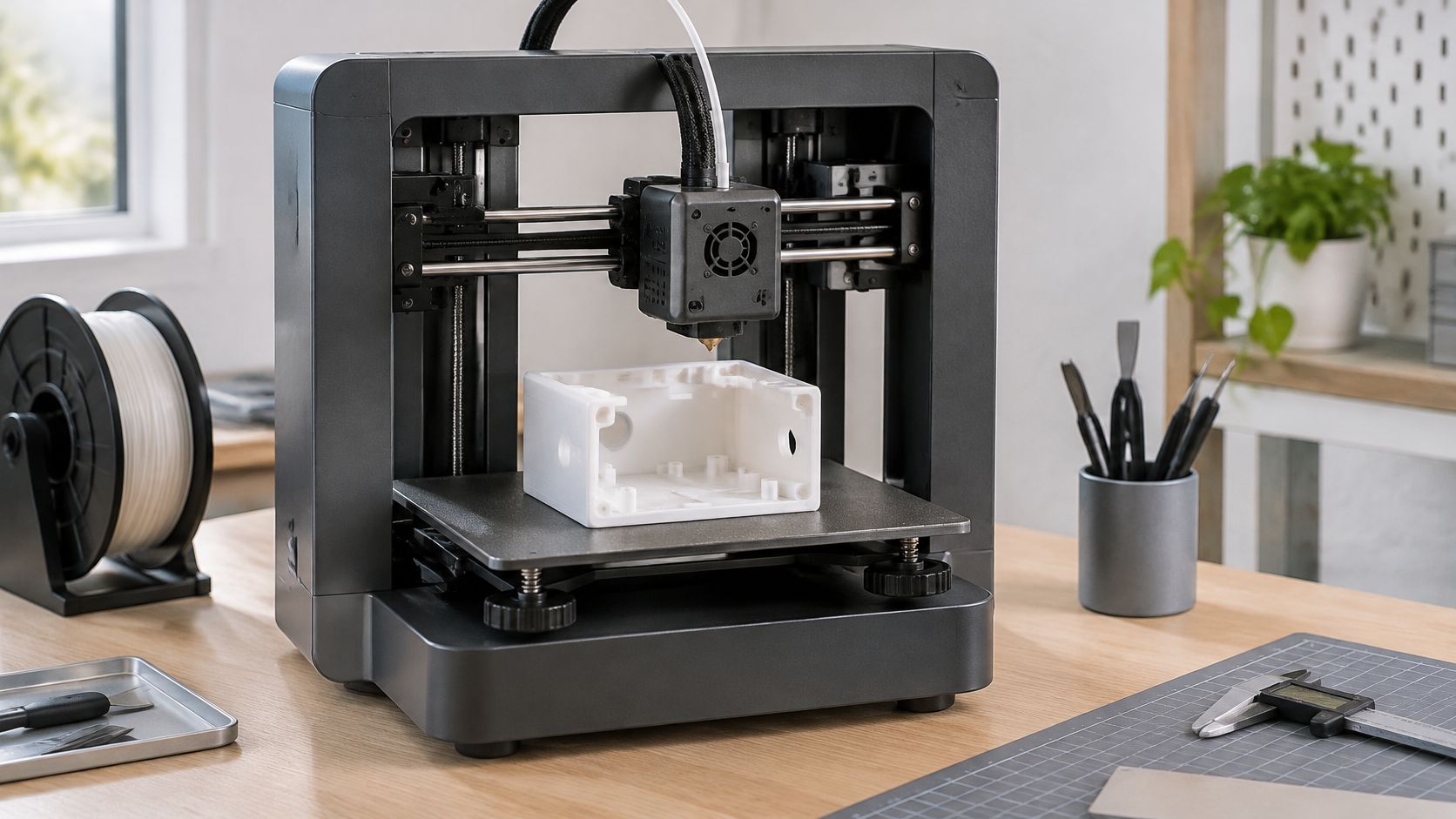
Choose a print that answers one question
Set the critical interfaces to the required dimensions and print the part at a scale that preserves them. If you're checking fit, make sure the mating parts are represented accurately. If you're checking appearance, pay attention to surface finish and visible layer lines.
The handoff is a revised CAD model, a record of the material used, and clear notes on which dimensions or interfaces passed. A print won't establish production cost, long-term performance, or final material behavior by itself. It's a decision point for geometry and fit, not automatic approval for manufacturing.
For a build that needs physical iteration, Genpire's 3D printing services provide a route from a design file to a tangible prototype. The important step is still matching the print to the decision: don't use a cosmetic model to claim functional validation.
4. Digital Prototype (CAD and Virtual 3D Model)
A digital prototype answers whether parts fit together in the model and whether the design is ready for a more costly physical check. CAD lets a team inspect dimensions, component placement, clearances, and assembly sequence. For apparel, virtual sampling tools can help review a garment's appearance and drape, but material behavior needs calibration against real fabric before anyone treats the screen as a reliable fit approval.
Start by defining the geometry and the assumptions behind it. A housing model should show how the battery, circuit board, fasteners, and enclosure relate. An apparel model should identify the fabric properties and garment measurements used. Without those details, a digital prototype may look convincing while hiding uncertainty in the dimensions or materials.
Simulation can add evidence when the team connects the model to measurable engineering requirements. In a SOLIDWORKS case study about Brudden, simulation-driven product development reduced the company's prototyping costs by 40%. The useful lesson isn't that simulation replaces every physical test. It's that teams can compare competing designs against defined criteria before building each option.
Control the handoff
Name files consistently, identify the approved revision, and link the model to the tech pack or specification. Record the materials, dimensions, tolerances, fasteners, and any features that still need physical confirmation. A factory needs more than a 3D view to quote and build a part without guesswork.
Digital prototypes fail when people confuse visual realism with verified performance. A screen model can show a clearance, but it doesn't prove an assembly can be completed comfortably or that a material will behave as predicted. Use CAD to reduce ambiguity and focus the next sample, then test uncertain real-world behavior physically. For a closer look at how digital models support product development, see digital prototypes and real products.
5. Toile or Fit Sample (Apparel and Footwear Sample Prototype)
A toile answers a body-specific question: Does this pattern or last produce the intended fit when someone wears the product? In apparel, a toile or muslin sample uses an inexpensive fabric to check shape and proportions before a team commits to final materials. In footwear, an early sample can expose fit problems in the last and upper that sketches or a screen rendering won't reveal.
Take a garment through a real fitting. Check how it sits while the wearer stands, sits, reaches, and moves through the intended use. For shoes, check pressure points, heel hold, toe room, and how the upper behaves during movement. A fit sample doesn't prove finished material quality or production consistency, so keep those approvals separate.
Make the correction usable by the factory
Every fitting should produce specific revision notes. Include a measurement specification with tolerances, and photograph the front, back, and side views. If you pin or mark a correction on the sample, show exactly where it applies and explain whether the pattern, construction, or measurement must change.
A fit comment such as “make it more comfortable” isn't a factory instruction. Record the location, the observed problem, and the requested change.
The handoff is an annotated fit sample and updated measurements or pattern pieces. Confirm fit before ordering final fabrics, trims, or components, since those choices may constrain later adjustments. A toile fails when the team approves it as though it were made from the production fabric. Fabric weight, stretch, lining, and construction can all change how a garment sits.
For footwear, a sample should also preserve the last and component details behind the fitting decision. That record helps the next sample answer whether the correction worked, rather than leaving the factory to infer what changed.
6. Functional or Works-Like Prototype (Engineering Prototype)
A works-like prototype answers whether the product can perform its core technical job. It may use off-the-shelf electronics, a rough enclosure, or temporary fasteners. That's acceptable if the test is about a circuit, mechanism, battery behavior, or control response rather than the final look.
Say a team is developing a wearable device. A functional build can test whether the sensors collect usable readings and whether the controls respond as intended. It may not establish how the finished product feels against skin or whether its production enclosure can be assembled efficiently. Mark each feature as functional, simulated, or absent, so reviewers know what the prototype proves.
Before building, write the pass/fail criteria for each test. Define the conditions, the observation to record, and what result triggers another iteration. For a mechanism, that could mean checking movement through its intended range and noting where it binds. For electronics, track whether the required functions work together, rather than approving a component in isolation.
Include real users and conditions
Engineering tests should reflect the people and environments the product is for. A 2024–2025 applied research program described in the Sustainable Development journal article on assistive products used participatory ergonomics and iterative functional-prototype testing for a child's protective helmet, a posture-correction chair, and a smartphone holder for people with low vision. Its examples underline why a lab-only result may miss problems with fit, access, or everyday handling.
The factory handoff is a test record, updated design files, and notes separating proven features from open risks. A works-like prototype fails when it's treated as a production-ready design. Plan for design-for-manufacture changes, material checks, and any required qualification before tooling or release.
7. Development Kit or MVP Prototype (Minimum Viable Product Hardware)
An MVP prototype answers whether real users want the core value enough to use or support the product. It's a limited, functional version, not a shortcut to skipping design and manufacturing work. Keep the scope narrow: choose the central use case, make that usable, and be explicit about unfinished features or rough edges.
For example, a team developing a connected kitchen scale might release a small early run that measures and sends readings to an app, while leaving secondary features for later. The team can observe whether users complete the main task, where they abandon it, and what they need explained. That evidence can guide the next design decision, but it doesn't prove that production quality, supply, or retail demand is settled.
Interest in making physical prototypes has been widespread among surveyed practitioners. In Protolabs' 2023 survey of more than 700 global engineers, designers, and manufacturers, 70% reported printing more parts than in 2022, according to its 3D Printing Trend Report. More printing creates opportunities to learn, but a build still needs a clear hypothesis and a defined audience.
Set the boundary before release
Tell early users what works, what's incomplete, and how to report problems. Track behavior that relates directly to the core use case, including usage, drop-off, and returns. Don't rely on favorable comments alone; observe whether users can complete the task without repeated help.
The factory handoff should capture the configuration supplied to each tester, observed failures, and the revisions needed for another build. A consumer-facing prototype can also be mistaken for a finished product, so set expectations plainly. Protolabs' 2024 survey of more than 700 product engineers, designers, and developers found 53% said they were developing products faster than ever, as covered by Digital Commerce 360. Speed helps only when teams use each release to resolve a specific uncertainty rather than adding features without learning.
How the seven prototype types compare by use case, main strength, and main limitation
| Item | Best For | Key Advantage | Main Limitation |
|---|---|---|---|
| Paper Prototype (Low-Fidelity Wireframe Mockup) | Early testing of product interfaces and packaging | Very low cost and quick to revise | Cannot represent physical materials or ergonomics |
| Clay or Foam Model (Form Study Prototype) | Evaluating a product's shape, proportions, and grip | Makes physical form and presence easy to assess | Does not show internal components or functional performance |
| 3D Printed Prototype (Additive Manufacturing Prototype) | Rapid iteration on fit, geometry, and form | Produces physical models quickly without tooling | Material properties and surface finish may differ from the final product |
| Digital Prototype (CAD and Virtual 3D Model) | Coordinating designs, specifications, and supplier review | Supports remote collaboration and reduces physical samples | Requires software skills and may not accurately represent material behavior |
| Toile or Fit Sample (Apparel and Footwear Sample Prototype) | Checking garment or footwear pattern, measurements, and fit | Finds fit issues before committing to production materials | Sample fabric may differ in drape and weight from the final material |
| Functional or Works-Like Prototype (Engineering Prototype) | Testing mechanisms, electronics, and performance | Validates technical feasibility before major investment | Often looks unrefined and may need multiple iterations |
| Development Kit or MVP Prototype (Minimum Viable Product Hardware) | Testing demand and usability with early adopters | Gathers real-world feedback before full production | Incomplete polish can disappoint users and increase support demands |
Matching Each Prototype to the Decision You Need to Make
Choose the cheapest prototype that can answer the open question, then increase fidelity only when that answer is settled. A paper mockup can test whether a control flow makes sense. A form model reveals proportion and grip. A print checks geometry and fit. CAD helps teams inspect assembly and compare designs before sampling. A toile tests pattern fit on a body, a works-like build tests performance, and an MVP tests whether users value the core offer.
The prototype's material doesn't define its value. Its decision does. A detailed 3D print can still be the wrong choice if the question is whether a label is understandable. A virtual garment can help assess overall appearance, but it can't replace a fit session when the concern is movement or pressure. Match the artifact to the uncertainty, and don't claim more than the test can show.
Every iteration should leave a usable record for the next person in the chain. Capture the approved revision, dimensions and tolerances, materials and substitutes, assembly and finishing methods, bill of materials, inspection points, target cost, minimum order quantity, and revision status. The 2025 State of the Industry report from aPriori found that 49% of respondents to a manufacturing survey identified sourcing high-quality, low-volume builds for new-product development as a persistent difficulty. A prototype package that clearly states what to build and inspect helps reduce avoidable back-and-forth.
Keep the record practical. If users couldn't reach a button, mark its position and the change requested. If a fit sample pulled at the shoulder, attach a photo and specify the pattern adjustment. If a functional test failed, log the conditions and the result. The factory needs a decision trail, not just a folder of attractive images.
When you're ready to move from a concept into a factory-facing sample, we offer a structured ordering flow: upload your design, receive an instant quote, get expert review, and receive the prototype. You can submit a tech pack, 3D files, sketches, or detailed specifications, and our vetted partners manufacture and ship the sample with quality assurance documentation. The right next step is the build that resolves your current uncertainty and leaves the factory with instructions it can act on.
Genpire helps product teams turn sketches, references, and specifications into prototypes and factory-ready documentation. If you're deciding which sample can answer your next design question, visit Genpire to explore the prototype workflow.