A tech pack gets revised in one email thread. The factory quotes from last month's version because nobody resent the update. A sample gets approved on a comment that never made it into the spec, and the bulk order inherits the mistake six weeks later.
Most supplier collaboration failures look like this, and they happen long before anyone places a bulk order. The tools are rarely the whole problem. The problem is that the current version of the truth has no single home, so every partner works from a slightly different one.
This guide compares nine supply chain collaboration tools by the job they do. Some exist to share product specs and sample feedback. Some run RFQs, purchase orders and delivery commitments. Others coordinate whole supplier networks across tiers, logistics and finance. Match the category to your real bottleneck first, then compare vendors inside it.
If you're already mapping how these workflows sit inside a wider ERP and operations stack, Wistec's supply chain efficiency insights cover the systems layer that collaboration tools have to plug into.
Table of Contents
- 1. Genpire
- 2. Rechain
- 3. Delogue
- 4. Lifecycle
- 5. ModaQuotient
- 6. SAP Business Network Supply Chain Collaboration
- 7. Oracle Fusion Cloud Supply Chain Collaboration
- 8. Infor Nexus
- 9. SourceDay
- How the nine tools compare on scope, pricing visibility, and supplier access
- Matching the Tool to Your Real Bottleneck
1. Genpire
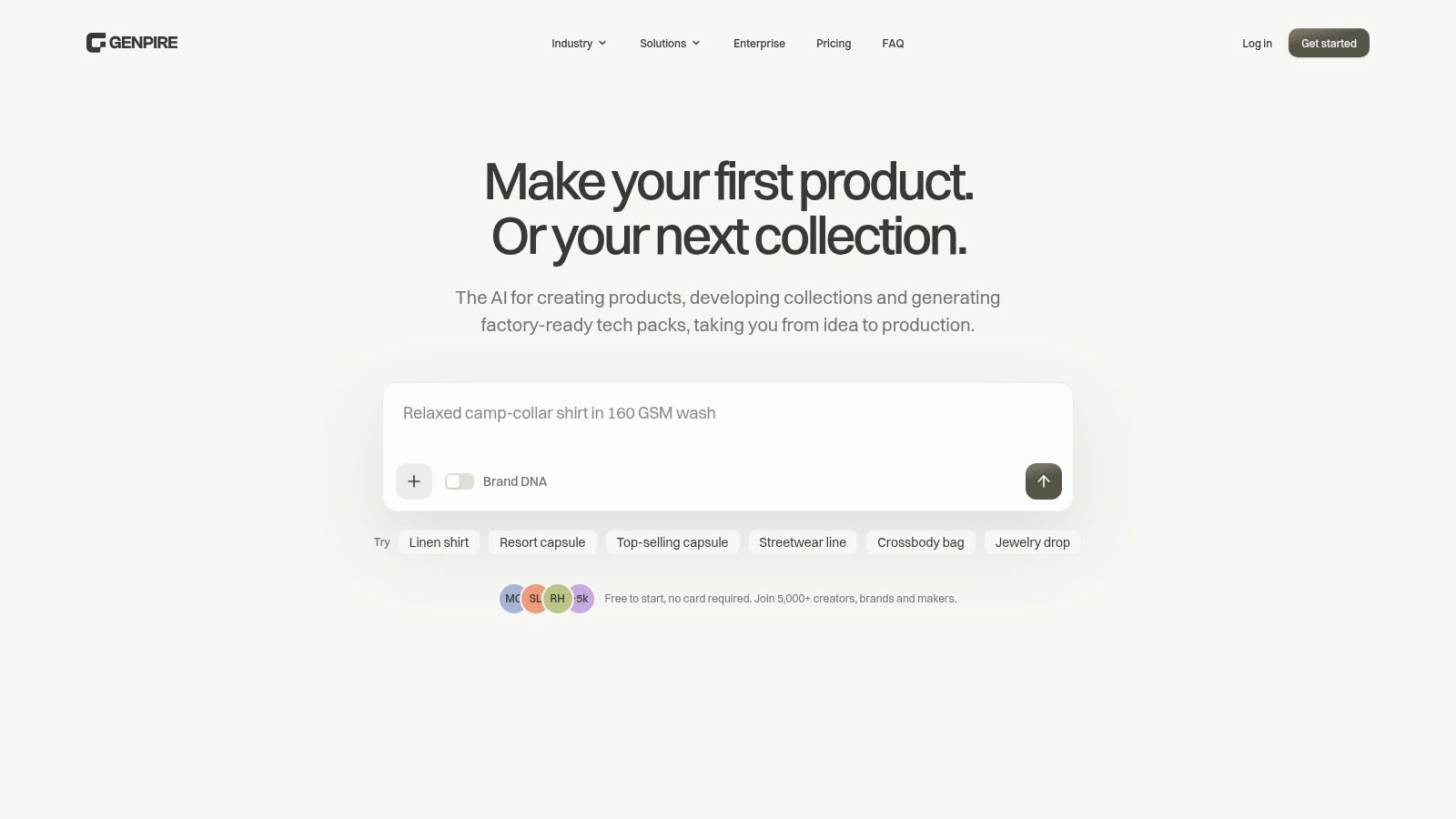
A founder can describe a product and still have nothing a factory will quote. Genpire is an AI workspace for creating and manufacturing consumer goods, and it is the tool here that starts before the tech pack exists. Feed it a prompt, a sketch, or a reference image. It returns multi-view concepts, technical drawings, and a structured tech pack you refine by hand or with AI. For someone who can describe a product but cannot draw one, that removes the wait for a first spec.
Collaboration starts once that file exists. The Agentic Tech Pack is one factory-ready record: measurements, bill of materials, construction notes, comments, and approvals. On Scale, suppliers are free view-only collaborators and do not count toward the eight collaborators on the account, so the factory reads the current spec instead of a stale PDF. Tech packs download as XLS, SVG, or PDF when a partner still wants a spreadsheet.
Where the workflow connects
Genpire also runs the commercial sequence, not only the drawing. Generate the tech pack, send the RFQ, compare quotes, place the sample order, approve the sample, trigger production, and track it. Pick it when the bottleneck is the handoff between a designer, a sourcing contact, and a factory. Cycle time on the platform is 9 to 13 weeks, against 30-plus weeks across five to seven tools and multiple agencies.
Categories run from apparel, accessories, and footwear to jewelry, furniture, home goods, and toys, with templates such as karat weights for jewelry and CPSIA compliance for toys. Brand DNA holds palettes and moodboards. A library of 500+ editable blanks removes the blank page. Try-On Studio and Marketing Studio cover launch visuals.
What works
- One record from concept to bulk: design, spec, RFQ, and sampling are not retyped into three systems.
- Suppliers without licences: free view-only seats remove the excuse for quoting an old file.
- No CAD required: AI edits, Brand DNA, and the blanks library let a solo founder or a small team ship a season.
What doesn't
- Credit spend is unpublished at the action level: features are listed per plan, but you need your own estimate of credit cost for sample volume before you commit. I would price one season of revisions first.
- AI still needs a human: a generated spec is a first draft, not a substitute for physical sampling and factory sign-off.
Fit: solo founders and small teams in consumer goods with a physical product, where the job is sharing a live spec and running RFQs. Scale stops at eight collaborators, plus free supplier seats. Skip it if the bottleneck is tiered supplier networks, logistics, or finance.
2. Rechain
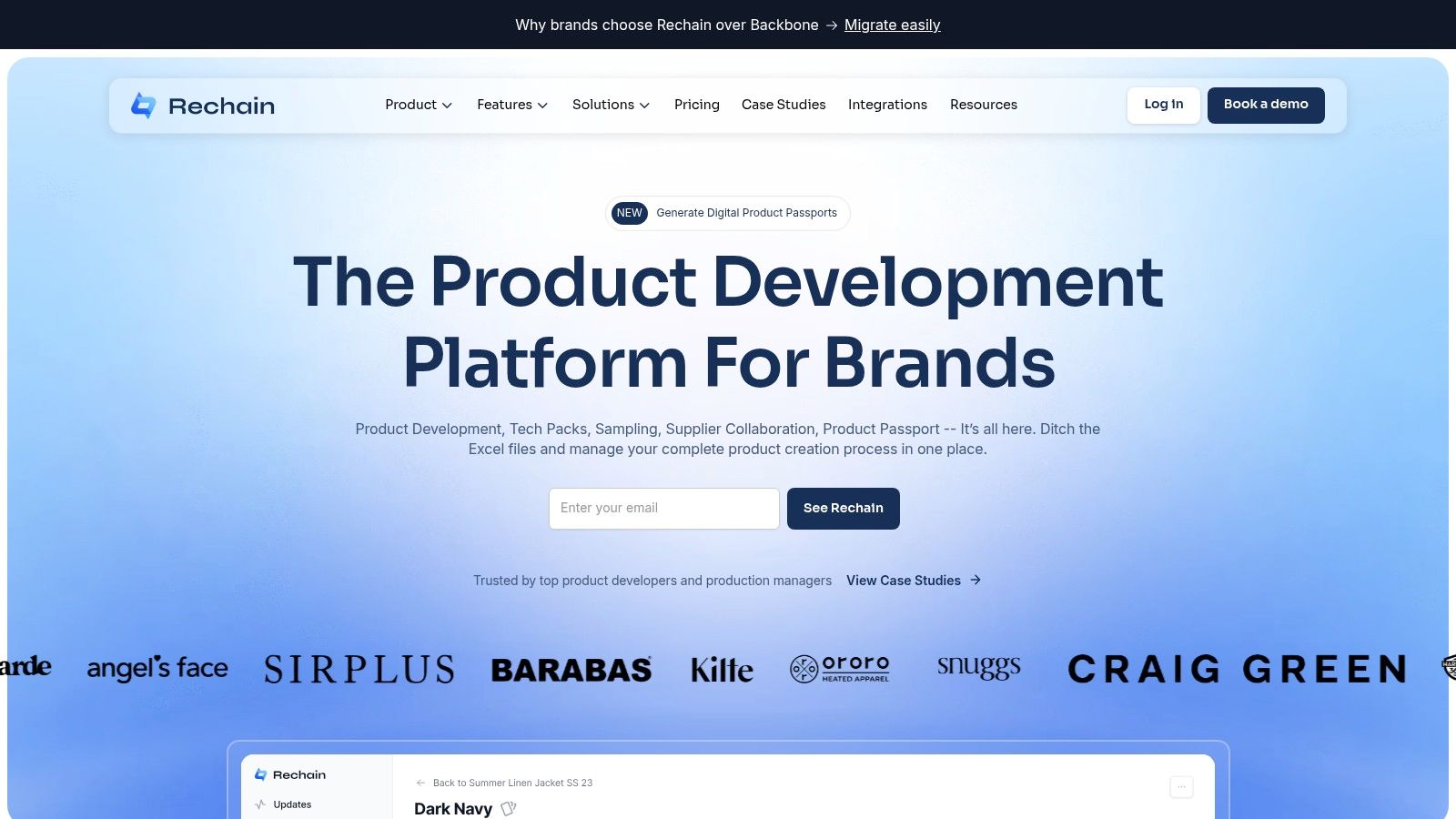
Rechain is a product lifecycle management platform for apparel and footwear brands that develop product with factories. It's the right first stop when the collaboration problem is a spec split across four files and a sample comment buried in a chat thread.
The part worth testing is whether a supplier can log in and find the style without being walked through it.
Features
- Central product records: sketches, measurements, colorways, samples and bills of materials in one place.
- Tech packs and sample tracking: build the pack, send it, track sample rounds against it.
- Component libraries: materials, trims, packaging and labels, reusable across styles.
- Supplier accounts: factory comments attach to the product record rather than to an inbox.
Pros
- Category focus: the data model assumes development for apparel and footwear, so you don't spend months configuring fields your team will never use.
- Feedback in context: a fit comment stays next to the style it belongs to.
- Free supplier accounts, according to the company, which removes the awkward conversation about who pays for factory access.
Cons
- Narrow reach: a home-goods or electronics team will fight the structure.
- Opaque pricing: public pricing and independent user-review details weren't available to check, so a scoping call is the only way to learn the annual cost.
Practical rule: if a supplier has to buy a licence to comment on a sample, half of them will quietly go back to email.
Fit: small to mid-size apparel and footwear brands with in-house developers and factories already comfortable with PLM-style workflows.
3. Delogue
Delogue earns its place here for one structural reason: suppliers work inside the same product record as your internal team, and they participate at no extra cost according to the company. That sounds minor until you've spent a season paying for factory seats and watching them go unused.
The platform covers fashion and lifestyle development, which means apparel and footwear but also accessories, home, textiles and adjacent categories. Shared product records hold styles, materials, updates and approvals, and the workflow extends beyond development into sourcing, production, buying, compliance and operations. For a brand whose sample comments, material approvals and compliance documents currently live in three places, that consolidation is the point.
Pros
- Broad category coverage: fashion and lifestyle brands fit within the data model without heavy customisation.
- Supplier parity: external partners see the same version your team sees, which eliminates the "which file is current" thread.
- Documented onboarding: customer examples and testimonials focus on supplier communication and onboarding, which is the part often underestimated.
Cons
- Fashion-shaped: if your supply chain is components, electronics or industrial goods, the vocabulary will fight you.
- No published pricing: licensing and implementation costs have to come from a sales conversation, so build in time for it before a budget review.
Fit: mid-size fashion and lifestyle brands, roughly five to fifty people in product and sourcing, working with a supplier base of ten to a few hundred.
4. Lifecycle
Lifecycle is the pick when sample approvals are the thing that slips. It's a fashion-focused PLM with a supplier collaboration workspace where partners access current specifications, tech packs, bills of materials, measurements and files, plus the conversations, feedback, revisions and approvals attached to them.
Access control is the feature I'd test first. Brands can limit which products, files and conversations each supplier sees, which keeps a trim supplier out of a full costed BOM while still letting them confirm the spec. Sample photos, measurement differences, feedback and approval status all sit against the product.
If you're still deciding what kind of tool you need, the choice between a tech pack generator, a PLM and a technical designer is a bigger fork in the road than any feature comparison.
Features
- Specification sharing: tech packs, BOMs, measurements and files in the supplier's view.
- Threaded revisions: supplier questions stay attached to the product they concern.
- Permission scoping: control what each external partner sees.
- Sampling collaboration: photos, measurement deltas and approval status in one place.
Cons
- Fashion-only: it won't carry logistics, freight or purchasing collaboration.
- Unlisted terms: pricing and implementation requirements aren't published on the supplier-collaboration page, so treat the demo as the first step of a longer evaluation.
Fit: apparel and footwear brands with a sampling cycle worth protecting, typically three or more developers and a dozen-plus active suppliers.
5. ModaQuotient
Most product-development tools stop at the sample. ModaQuotient keeps going into sourcing, production, inventory and costing, which makes it the strongest fit for a brand whose supplier relationships are already operational rather than exploratory.
The supplier relationship outlives the sample. Tools that ignore that hand your factory a second, parallel system to maintain.
Onboarding, capabilities, certifications, capacity, purchase orders and performance sit in the same environment as product data, so a supplier's capacity constraint shows up next to the styles you've promised a retailer. Costing, governance, approvals and audit history support the procurement side, and it covers apparel, accessories, footwear and home textiles.
Pros
- Operational depth: purchase orders, capacity and performance live alongside product records, so you aren't reconciling two versions of a supplier.
- Certification tracking: the compliance data a retailer asks for sits where sourcing can find it.
- Audit history: approvals and governance carry a record, which matters once you have more than a handful of suppliers.
Cons
- Implementation weight: scope this one realistically. Broad platforms demand process decisions, data clean-up and change management that a focused tech-pack tool doesn't.
- Pricing unknown: no published pricing or user-review information on the cited page, so the total cost conversation has to happen early.
Fit: growing apparel, accessory, footwear and home-textile brands, roughly 10 to 200 staff, that need development and operations in one system.
6. SAP Business Network Supply Chain Collaboration
This is a buyer-to-trading-partner platform for direct materials, covering forecasts, procurement, inventory, quality and manufacturing across supplier tiers. Buyers already running SAP get the least friction; everyone else should weigh the integration work against the benefit.
The investment context explains why tools like this keep winning budget. MHI and Deloitte's annual industry report, which surveyed more than 1,700 manufacturing and supply-chain leaders at the end of 2023, found that 55% were increasing spending on supply-chain technology and innovation, and that 88% of those investing planned to spend more than $1 million. At that level, forecast collaboration and supplier-managed inventory stop being experiments.
Features
- Forecast collaboration: supplier commitments and capacity visibility.
- Digital purchase orders: confirmations, shipping and order tracking.
- Supplier-managed inventory: replenishment workflows tied to real stock positions.
- Quality collaboration: multi-tier support across suppliers and contract manufacturers.
Pros
- Breadth: planning, inventory and quality in one relationship rather than three portals.
- Existing-stack advantage: for SAP shops, master data and finance already connect.
- Multi-tier coverage: contract manufacturers aren't an afterthought.
Cons
- Oversized for spec work: a small brand sharing sample feedback doesn't need this weight.
- Undisclosed costs: pricing, onboarding and implementation scope all require vendor discussions.
If the goal behind the evaluation is broader than collaboration alone, start with supply chain management and work backwards to the tool.
Fit: mid-market to enterprise manufacturers and retailers with formal supplier processes and high transaction volume.
7. Oracle Fusion Cloud Supply Chain Collaboration
A forecast slips on Thursday and the supplier still ships last week's quantity. Oracle Fusion Cloud Supply Chain Collaboration is built for that job: supplier collaboration and demand collaboration on one enterprise platform, not sample-room markup between a designer and a factory.
The supplier portal puts orders, shipments, forecasts, commitments, payments and invoices behind one login. Demand collaboration shares forecasts and consumption history with customers, which suits businesses selling through distributors and large accounts. Partners who will not sit in a portal can use B2B messaging. Alerts on forecast changes, overdue invoices and commitment mismatches do the daily work. Exceptions reach a person instead of sitting in a report.
Cloud and AI use in supply-chain operations is already broad. For a large planning team, the practical test is whether those alerts match how buyers and suppliers already confirm commitments.
I would shortlist this only for enterprise operations that already plan with distributors and want invoices in the same relationship as orders. A five-person product team will never use the payment side. Covering both supplier and customer directions is the reason to accept that weight, and few tools in this set attempt it. Pricing and implementation requirements are not on the product page, so cost and timeline stay a vendor discussion.
Fit: enterprise operations with distributor relationships and planning teams, not small design-to-factory brands.
8. Infor Nexus
Infor Nexus is a multi-enterprise network connecting suppliers, manufacturers, brokers, logistics providers and banks, with visibility across orders, shipments and inventory plus compliance, traceability and supply-chain finance. It sits at the far end of the coordination category: useful when your problem spans tiers, carriers and working capital at the same time.
Openness has a cost, and most tool evaluations ignore it. Capgemini's 2025 supply chain research found that 79% of executives were very concerned about supply-chain cybersecurity visibility, yet only 9% proactively monitored cybersecurity risk across their supplier base. A shared network expands what each partner can see, so permission design belongs in the rollout plan, not the retrofit.
What to scrutinise before signing
- Field-level permissions: who sees cost breakdowns, who sees only ship dates.
- Immutable change history: revisions that can't be edited after the fact.
- Offboarding: what a supplier retains after the relationship ends.
- Data minimisation: share the exception, not the entire master file.
Pros
- Network breadth: coordination beyond first-tier suppliers, including logistics and finance.
- Combined visibility: orders, shipments and inventory against financial flows.
- Traceability support: compliance evidence sits alongside operational data.
Cons
- Overkill for design work: a team sharing sample feedback will pay for capability it never touches.
- Quote-based only: pricing and deployment scope come from a sales cycle.
Fit: global manufacturers and retailers with multi-party networks, logistics complexity and working-capital programs.
9. SourceDay
SourceDay targets one stubborn operational problem: purchase-order commitments that go stale the moment a buyer changes a date. Its supplier portal lets suppliers confirm orders, respond to changes and update delivery commitments, with updates synchronised back to the buyer's ERP. It tracks acknowledgements, response times and open orders, so the buyer can see which suppliers replied.
Supplier engagement runs through email, portal access or EDI, which is the detail that makes adoption realistic. APQC's 2025 research found that a lack of collaboration across internal and external functions was the leading obstacle to improvement, with nearly as many respondents citing the difficulty of implementing new technology. A tool that doesn't force every supplier onto a portal removes the second problem from the first.
Pros
- Narrow and useful: it fixes commitment accuracy instead of claiming to fix everything.
- Low-friction adoption: email and EDI keep low-maturity suppliers in the loop.
- ERP synchronisation: commitments land where planners already look.
Cons
- No product development: no tech packs, no sampling, no design files.
- Pricing unpublished: expect a quote process.
If purchase-order chaos is downstream of supplier records you can't trust in the first place, vendor management is the earlier conversation.
Fit: manufacturers, distributors and consumer-goods companies running hundreds of open POs across a supplier base of mixed digital maturity.
How the nine tools compare on scope, pricing visibility, and supplier access
Match the row to the job that is stuck: sharing specs and feedback, running purchase orders, or coordinating a partner network. Public price and who pays for a supplier seat decide the shortlist faster than a longer feature list.
| Item | Best for | Public pricing | Supplier access | Primary focus |
|---|---|---|---|---|
| Genpire | Turning product ideas into production-ready specifications | Free to start, no card required; paid Teams, Scale, Pro and Enterprise plans are listed on the pricing page | Shared supplier collaboration; view-only seats are free | AI-assisted product creation, tech packs, and production workflows |
| Rechain | Apparel and footwear brands managing product development with factories | Not publicly available | Supplier accounts are free | PLM, tech packs, sampling, and supplier feedback |
| Delogue | Fashion and lifestyle teams coordinating product development | Not publicly available | Supplier participation at no extra cost | PLM, supplier collaboration, and product documentation |
| Lifecycle | Fashion teams linking supplier feedback to product records | Not publicly available | Controlled supplier access to products, files, and conversations | PLM, tech packs, sampling, and approvals |
| ModaQuotient | Fashion businesses connecting suppliers with operational workflows | Not publicly available | Supplier onboarding and management workflows | Sourcing, production, inventory, costing, and supplier management |
| SAP Business Network Supply Chain Collaboration | Organizations with formal supplier processes and substantial transaction volumes | Requires vendor discussion | Buyer–supplier workflows across planning, orders, inventory, and quality | Direct-materials supply chain collaboration |
| Oracle Fusion Cloud Supply Chain Collaboration | Enterprises managing supplier and customer collaboration | Not specified | Supplier portal and partner messaging | Forecasts, orders, shipments, invoices, and demand collaboration |
| Infor Nexus | Global supply chains coordinating multiple partners and logistics providers | Quote-based | Multi-enterprise supplier and partner network | End-to-end visibility, collaboration, traceability, and finance |
| SourceDay | Manufacturers and distributors managing purchase-order commitments | Not publicly listed | Portal, email, or EDI workflows | Purchase-order collaboration and delivery updates |
The first five rows cover product development with factories. The last four cover orders, forecasts, or a multi-company network, and they do not replace a tech pack. Free supplier seats show up on the product-development tools. Network and ERP suites usually start with a quote, so implementation scope often outweighs the license in the first year.
Matching the Tool to Your Real Bottleneck
Start with the step that stalls your launch, not the tool with the longest feature list. If your sample rounds drag because specs and feedback scatter, shortlist the product-development tools and test them with a real tech pack from your current season. If purchase-order commitments and delivery dates are the daily fire, go operational. If your problem is coordinating tiers, carriers and working capital, only a network platform will help, and you'll pay accordingly.
The awkward truth about this category is that most vendors won't tell you the price until a call. Public pricing is rare on this list, and implementation effort is often the bigger number anyway. Before you sign, get three things in writing: supplier access terms, including whether factories pay for seats; the implementation scope, including who cleans your master data; and the annual cost at your expected volume, not at the demo's volume.
Ask this before signing: what does a supplier see on day one, and what does it cost them to see it?
A two-week pilot beats a six-month evaluation. Pick one product and one factory. Send the actual spec through the tool, keep a running count of revision cycles, and measure time to approved sample against your last launch. If the revision count doesn't drop, the tool isn't solving your bottleneck, no matter how good the dashboard looks.
Team size changes the answer more than category does. A solo founder with one factory needs a workspace that generates specs and reaches a supplier the same week. A twenty-person sourcing team with three hundred suppliers needs permission structures, audit history and ERP synchronisation. Buying above your level means paying for configuration you'll never finish; buying below it means rebuilding in eighteen months.
Finally, plan for the partner who won't adopt. Every supplier base has one factory that answers email and ignores portals, and if your chosen tool can't include them, your collaboration data has a hole in it. If you want a structured way to map where delays sit before you shortlist vendors, this guide to how to identify supply chain bottlenecks is a sensible starting point.
If the bottleneck you just identified is spec creation and sample feedback, Genpire handles that whole stretch in one workspace: a prompt or sketch becomes a factory-ready tech pack with measurements, BOM and construction notes, then moves straight into RFQ, sample approval and bulk production tracking. Suppliers join as free view-only collaborators, so your factory is commenting on the same file your team is editing. Visit Genpire to start free, no card required, and run your next product through it before you commit to anything longer.